Canva vs Figma: The Dev Agency Stack Decision (2026)
An engineer's guide to Canva vs Figma. We analyze developer handoff, design system integration, and ROI for 100-500 person software development agencies.
The expensive part of canva vs figma shows up after the sale. It appears when a campaign asset built to win attention becomes the starting point for a prototype, scope deck, or developer handoff and the agency has to rebuild it to make it usable.
For a 100 to 500 person software development agency, that is an operations problem with direct margin impact. Marketing, sales, design, and engineering are working on the same client story through different file formats, permissions models, and component systems. Every manual transfer adds non-billable time, increases revision cycles, and weakens the connection between what the client bought and what the delivery team can ship.
The market already treats Canva and Figma as different products for different buyers. Section 2 covers the supporting market-share data and category evidence. The practical implication is straightforward. Agencies that force one tool to cover both GTM asset production and product design usually pay for the shortcut in rework, slower approvals, and messy handoffs.
That matters because the stack decision affects more than design throughput. It influences how quickly your team can turn competitive intelligence into client-facing positioning, convert that positioning into sales collateral, and carry the same narrative into wireframes, prototypes, and engineering specs without rebuilding the work from scratch.
| Decision area | Canva | Figma | What it means for a dev agency |
|---|---|---|---|
| Core market position | Fast content production for marketing and sales teams | Product design, prototyping, systems, and developer handoff | Tool choice should follow workflow stage, not internal preference |
| Best internal users | Marketing, BDRs, account managers, sales enablement | UI/UX designers, product teams, developers | Seat allocation should match revenue function and delivery function |
| Performance in complex design cycles | Strong for quick asset creation, weaker once precision and reuse matter | Stronger in iterative product workflows with shared systems | Figma reduces downstream cleanup when work reaches engineering |
| Team stickiness | Easier for non-designers to adopt, easier to outgrow in product work | Harder to learn, harder to replace once design systems are in place | Training cost is justified only where repeatable product work exists |
| Cost profile | Lower apparent seat cost | Broader pricing tied to collaboration and advanced workflows | Subscription price is rarely the main cost driver. Rework is |
| Biggest risk | Assets often require manual recreation for product-grade use | Over-specifying simple campaign work slows non-design teams | A hybrid stack works only if handoff rules are explicit |
The strategic question is not which interface your team prefers. It is whether your agency has a defined path from demand generation to shipped software that preserves brand consistency, reduces duplicate production, and protects delivery margin.
Your Disconnected Design Stack Is the Problem
Most canva vs figma articles compare features. Founders should care about workflow boundaries.
Your disconnected design stack is the primary problem.
Your marketing team uses Canva because speed matters. Your product team uses Figma because precision matters. The cost shows up when a proposal deck, campaign visual, or sales mockup created in Canva becomes the starting point for a client prototype, product concept, or developer handoff in Figma.
That gap creates a silent tax. The same brand element gets built twice. Copy changes drift between sales collateral and product screens. Designers clean up assets that should have been reusable. Developers receive a prototype that no longer matches the deck that won the deal.
Agency growth depends on two systems working together. One system creates recognition and fills pipeline. The other turns that trust into shipped work without margin leakage. If those systems live in separate tools with weak interoperability, your agency pays in non-billable hours and slower response time.
A lot of agencies treat this as an ops annoyance. It is a positioning problem. If your GTM team cannot rapidly publish credible niche-specific assets, you lose visibility. If your delivery team cannot convert those assets into production-ready design artifacts cleanly, you lose time and credibility after the sale.
The better frame is stack design, not tool preference. Canva is one layer. Figma is another. The decision is whether your current stack supports the full path from authority-building to delivery, or whether it breaks in the middle.
If your agency is also rethinking how brand visibility supports pipeline in technical niches, this guide on brand for software development companies is a useful parallel to the stack question. The same issue applies. Recognition work only pays off when downstream execution stays coherent.
Key takeaway: The wrong question is “Can Canva replace Figma?” The useful question is “Where does work cross from GTM asset to product artifact, and what does that transition cost us?”
Market Positioning Dictates Tool Capability
Your tool choice sets the limits of your operating model.
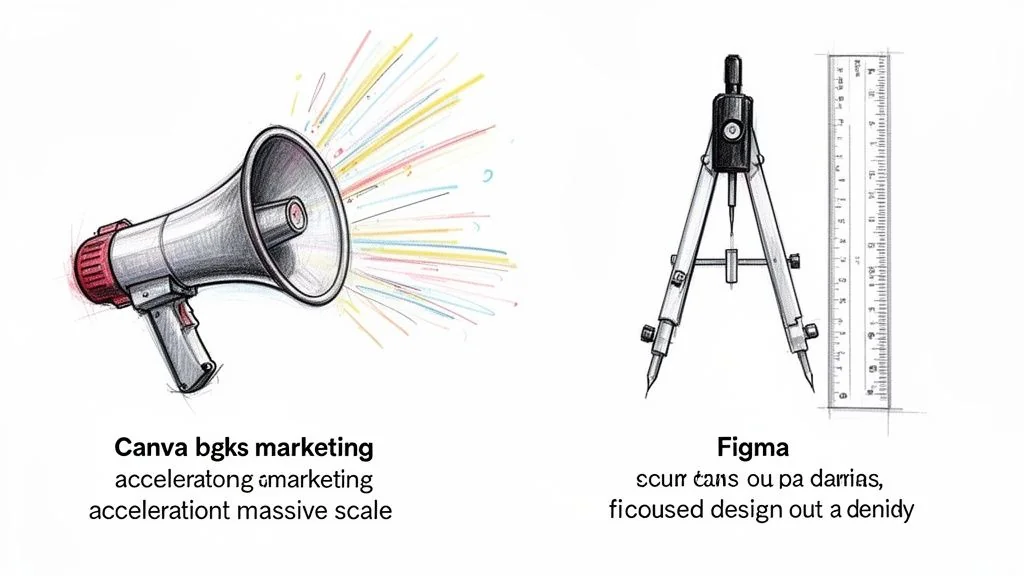
Canva and Figma target different buyers, different jobs, and different definitions of success. For an agency, that difference shows up in utilization, review cycles, and how much work can move without senior design involvement.
Canva is positioned for distribution velocity
Canva was built to let non-design specialists publish branded assets quickly. That market position matters more than any individual feature. A platform optimized for broad adoption will prioritize templates, brand controls, AI-assisted content generation, and low training overhead because those choices expand usage across sales, marketing, recruiting, and client services.
As noted earlier, Canva has materially stronger visibility in AI search and broad-market demand signals than Figma. That aligns with its product direction. Canva is selling publishing capacity to the business, not precision tooling to product teams.
For a dev agency, that creates a clear upstream advantage. GTM teams can produce outbound attachments, webinar promos, one-pagers, social assets, proposal visuals, and event collateral without waiting for a product designer to step in. The financial effect is simple. More output happens in lower-cost roles, and senior design time stays focused on client delivery.
The strategic angle is speed of niche response. Agencies that spot a new vertical opportunity still need content in market before competitors flood the same category. A disciplined competitive intelligence process for agency positioning only pays off if the team can turn that insight into visible assets fast. Canva supports that part of the workflow well.
Figma is positioned for delivery precision
Figma was built for teams whose work ends in product behavior, engineering implementation, and system consistency. Its core value is not that it makes screens look polished. Its value is that product decisions, reusable patterns, comments, prototype logic, and developer context stay in one environment long enough to survive handoff.
That distinction matters because agencies do not get paid for pretty files. They get paid for shipping software with fewer revision loops, fewer interpretation errors, and less cleanup between design and engineering.
Figma fits that model because its workflow is closer to how digital products are built. Product discovery can evolve into wireframes, then interactive prototypes, then reusable components, then engineering handoff without forcing the team to rebuild the same artifact in a different format. Canva cannot close that chain reliably. It can support the pitch. It cannot carry the delivery system.
Positioning drives where each tool creates margin
The practical split is operational, not ideological.
| Business function | Tool with stronger fit | Why it matters to agency economics |
|---|---|---|
| Niche content production | Canva | Lower-cost GTM roles can publish without entering the design queue |
| Proposal support visuals | Canva | Sales teams can respond faster without pulling product designers off billable work |
| Product discovery artifacts | Figma | Concepts can evolve into delivery assets without recreation |
| Interactive prototype demos | Figma | Better alignment during client review reduces late-stage interpretation errors |
| Design system governance | Figma | Shared components reduce repeated design decisions across accounts |
| Developer handoff | Figma | Engineers get inspectable specs and behavior context instead of static marketing files |
The hidden mistake is asking one platform to serve both market positions. Agencies do it to reduce subscription count, but the savings are usually superficial. If Canva is pushed into product design, designers spend more time rebuilding assets in Figma before engineering can use them. If Figma is pushed into broad GTM production, higher-cost specialists get dragged into work that template-driven teams could have handled themselves.
The better conclusion is narrower and more useful. Canva expands content throughput. Figma protects delivery fidelity. Agency leaders should map those strengths to the exact point where pipeline work becomes product work, then decide whether that transition is clean enough to preserve margin.
Technical Feature Matrix for Agency Workflows
Figma wins technical workflows that end in code. Canva wins non-designer asset production. The mistake is pretending those are small differences.
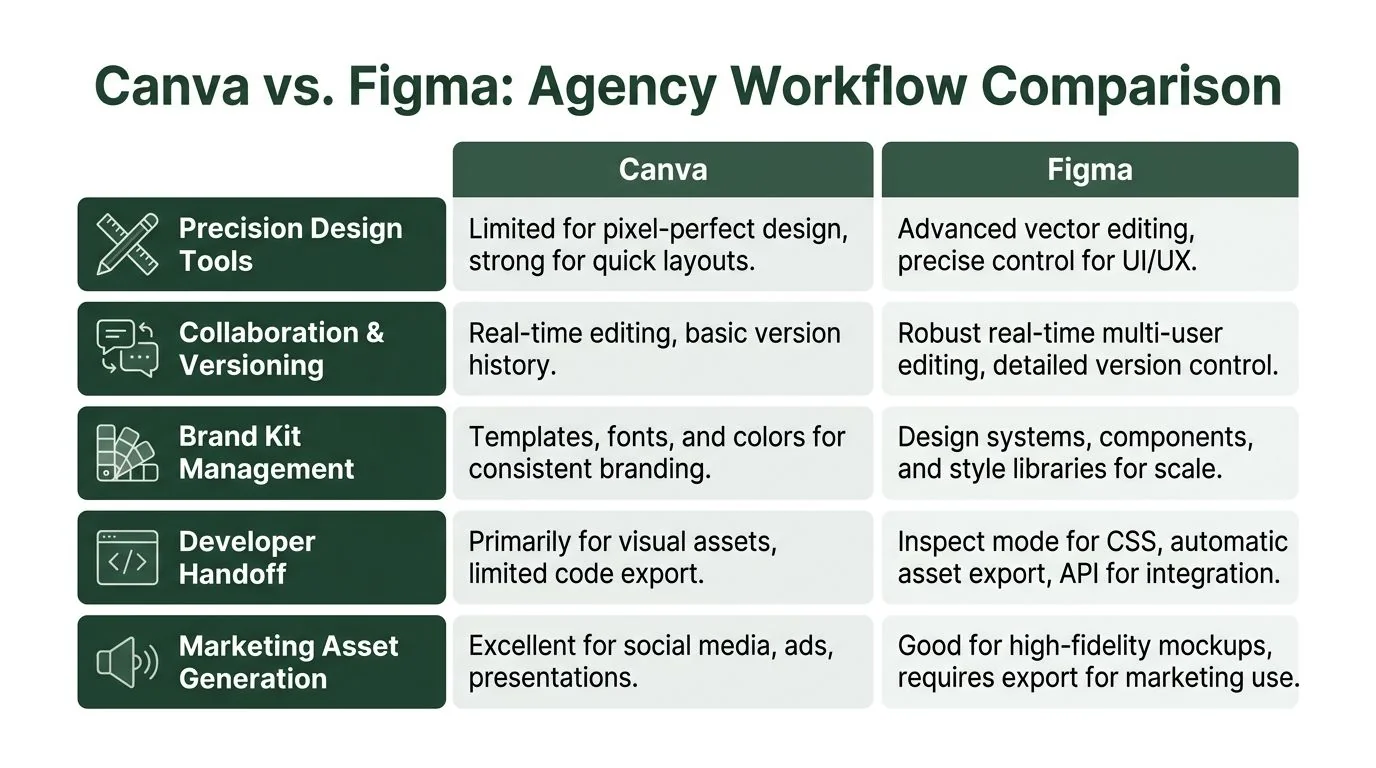
Side by side on the work that affects margin
Temlis states that Figma delivers 40% faster design cycles through real-time co-editing, branching, audio comments, granular permissions, version history, vector networks, auto layout, components, variants, and developer handoff features. The same source ties that to 86% adoption and a 10% competitor switch rate, versus Canva’s 74% adoption and 27% switch rate in the cited comparison.
That is not just product marketing. It maps to agency unit economics. A faster cycle on complex design work reduces revision lag, internal coordination time, and friction between design and engineering.
| Workflow criterion | Canva | Figma | Agency impact |
|---|---|---|---|
| Precision design | Good for quick layouts and marketing visuals | Advanced vector editing with pen tool and vector networks | Figma reduces cleanup before engineering |
| Real-time collaboration | Supports shared editing | Branching, comments, permissions, version history | Figma handles parallel exploration better |
| Prototyping | Limited for complex interactive flows | Built for interactive UI/UX prototypes | Better for client demos that need product realism |
| Design systems | Brand kits and templates | Components, variants, auto layout | Figma scales consistency across projects |
| Developer handoff | Export-oriented, not dev-centric | Dev Mode and structured inspection workflows | Fewer interpretation errors before build |
Collaboration is not the same as concurrency
Both tools let teams work together. That does not mean both support the same kind of work.
Canva collaboration is fine for marketing iteration. A marketer, account manager, and founder can tweak a one-pager or deck quickly. That is useful, and many agencies need a lot of it.
Figma supports a different category of collaboration. Branching matters when multiple designers need to explore directions without corrupting the main file. Detailed version history matters when a client asks to revert a pattern from last week. Granular permissions matter when PMs, designers, and engineers all need access but not identical editing rights.
For a dev agency, collaboration quality matters when the output becomes a software deliverable. Once a screen or flow influences scope, estimate, or implementation, “we can all edit this together” stops being enough.
Design systems separate repeatable delivery from artisanal chaos
A lot of agencies say they have design systems. Many have libraries of screens. That is not the same thing.
Canva’s template model is useful for repeatable campaign assets. It keeps decks, social visuals, and one-pagers on-brand. For marketing teams, that is the right control model.
Figma’s system model is stricter and more valuable downstream. Components and variants let teams update a pattern once and propagate it across a product surface. Auto Layout keeps screens responsive as content changes. That is the difference between “this looks consistent” and “this can survive iteration.”
For agencies doing productized delivery across sectors, Figma’s system depth compounds across engagements. The benefit is not abstract quality. It is less redesign, less QA churn, and fewer handoff disputes.
Practical rule: If the output will be reused across screens, turned into coded components, or inspected by developers, start in Figma. If it will be published, sent, or presented by non-designers, start in Canva.
Developer handoff is where canva vs figma stops being a debate
Canva’s export model is built for finished visual assets. Figma’s handoff model is built for implementation. Those are different endpoints.
When developers work from Figma, they inspect spacing, assets, patterns, and behavior in the same environment where design decisions were made. When they work from Canva-derived assets, someone has to translate presentation intent into product structure.
That translation step is where agencies lose margin. The loss does not show up as a single big delay. It shows up in small acts of reconstruction. Rebuilding icons. Redrawing cards. Guessing spacing. Recreating states. Clarifying what in a deck was decorative and what implied behavior.
Where Canva still wins inside an agency
Canva should not be dismissed because it loses technical comparisons. It wins where specialist bottlenecks hurt growth.
For top-of-funnel creative, sales enablement, and niche-specific authority content, Canva lets more people produce more assets without waiting on product design capacity. That is a valid economic advantage.
The mistake is letting success in one workflow justify use in another. The same founder who wants marketers shipping fast should not ask developers to inherit Canva artifacts as if they were product specifications.
The Hidden Cost of Hybrid Workflows
Hybrid stacks fail at the seam. That seam usually sits between the team winning the work and the team delivering it.
The asset looked finished. It was not reusable
This is the familiar agency pattern. Sales builds a polished Canva deck for a fintech prospect. The deck includes custom diagrams, modified icons, and a branded product concept. The client likes the concept and asks for a clickable prototype by Friday. The design team opens Figma and realizes the “design” is a visual endpoint, not an editable system.
Now the team has to recreate layouts, rebuild components, redraw vectors, and infer behavior from sales collateral. No client pays extra for that recreation. It is internal overhead.
Ramp’s comparison of Canva alternatives calls this interoperability gap a significant unaddressed cost, noting that Figma’s 86% adoption rate in mid-market firms shows stickiness for product teams, while Canva’s 27% competitor switch rate is partly tied to the friction of manually recreating assets in Figma. The same source says that this manual recreation can delay go-to-market by days.
That “delay by days” matters more than the seat price gap. In agency operations, a few days of internal rework can damage pitch momentum, compress delivery timelines, or force teams to absorb extra work to hit a committed date.
Version control breaks before anyone notices
Hybrid workflows also create a governance problem. Sales edits the deck in Canva. Design updates the prototype in Figma. Marketing refreshes branded visuals for a case-study page. Nobody is malicious. The systems do not share a dependable edit path.
That causes three operational failures:
| Failure mode | What happens | Profit impact |
|---|---|---|
| Asset duplication | Teams recreate the same visual in both tools | More non-billable design time |
| Version drift | Sales, marketing, and delivery use different “latest” assets | Revisions and client confusion |
| Broken handoff | Developers receive visuals without system logic | More clarification and slower implementation |
The generic canva vs figma writeups miss this because they evaluate tools in isolation. Agencies run them in sequence. Sequence is where cost appears.
Plugins and workarounds do not remove the core problem
There are experiments around Canva import into Figma and other partial fixes in the broader market discussion. Those are useful to watch, but they do not change the operating reality for most agencies. If editability, component structure, and developer handoff matter, teams still end up rebuilding important work in Figma.
Operating principle: A hybrid stack works only if you define a hard boundary. Canva assets can inspire, sell, or support. Figma artifacts must own anything that reaches product design, prototype, or engineering.
Without that boundary, agencies confuse “shared brand expression” with “shared production asset.” They are not the same thing.
Pricing Models and True Cost of Ownership
Seat price is the easiest number to compare and the easiest number to misuse. For an agency running both GTM and delivery, the core question is not whether Canva or Figma is cheaper per user. The question is which pricing model produces the lowest cost per shipped asset, per approved prototype, and per delivered client milestone.
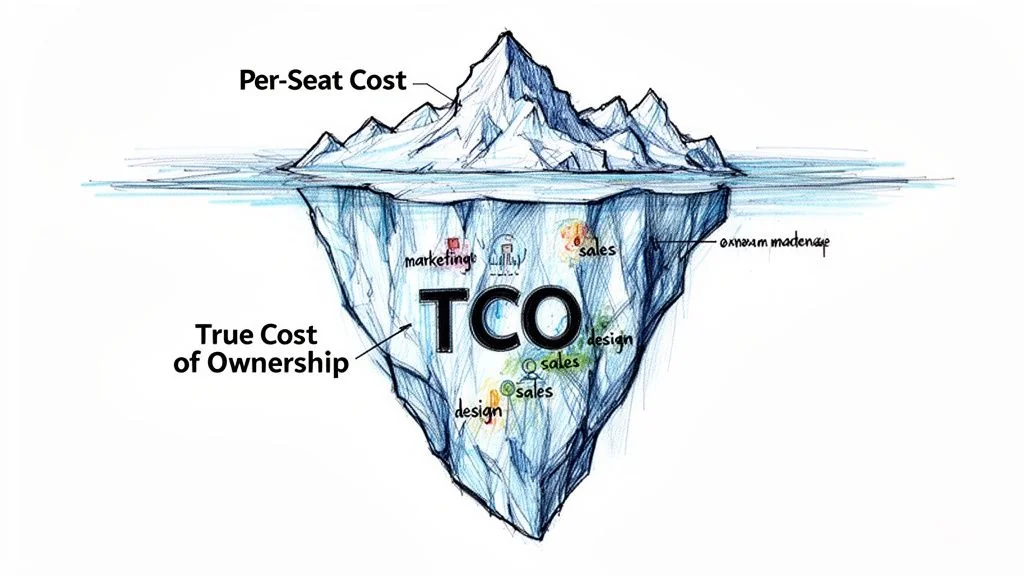
License cost favors Canva for broad GTM usage
Style Factory’s Canva vs Figma analysis describes Canva as generally cheaper for multi-user teams, with Canva plans around $15/user/mo and Figma plans ranging from $12 to $45/user/mo. The same source argues that Canva can support roughly 2x the pace of authority-building content production.
That pricing model fits agency revenue functions. If BDRs, marketers, account managers, and founders all need to assemble branded visuals, Canva distributes creation across a wider group without pushing every request through design.
The savings are real, but only in the part of the workflow where speed matters more than design system fidelity.
True cost appears in workflow conversion
An agency does not buy software for isolated tasks. It buys throughput across a chain of tasks. Cost rises when an artifact created in one system has to be translated, approved again, and rebuilt before development can use it.
That is where per-seat math breaks.
| Cost layer | Canva-heavy stack | Figma-heavy stack | Leadership question |
|---|---|---|---|
| Seat spend | Lower for broad team access | Higher if many users need advanced features | Who needs edit access? |
| Training burden | Lower for non-design roles | Higher if non-design roles are pushed into product-grade tools | Which team is spending senior time on simple requests? |
| Rework cost | Higher when campaign assets are later treated as product assets | Lower after work enters structured design and delivery flow | How many hours are lost rebuilding approved work? |
| Approval cost | Faster for lightweight collateral | Slower if every visual waits on design review | Where is client-facing output getting stuck? |
| Margin risk | Better for high-volume marketing production | Better for scoped UX, systems work, and handoff quality | Which workflow drives more gross margin for the agency? |
The table matters because agencies rarely lose money on licenses alone. They lose money when a low-cost seat creates high-cost downstream behavior.
A Canva-first operating model can improve top-of-funnel velocity and still reduce profit if sales mockups regularly become inputs for delivery. A Figma-first model can protect implementation quality and still reduce profit if senior designers spend billable time resizing webinar banners, proposal covers, and social variants.
Hybrid stacks create a pricing trap
Hybrid sounds financially sensible because each team gets the tool that matches its job. In practice, many agencies pay twice. They pay for broad Canva access, then pay again in Figma seats, design review time, rebuild time, and developer clarification.
The hidden cost is conversion labor. Someone has to turn GTM artifacts into delivery artifacts, clean up typography and spacing, restore component logic, and recreate flows that never existed in the original file. That labor usually sits with your highest-cost people.
For a mid-sized agency, one senior product designer spending even a few hours each week translating or recreating client-facing work can erase the savings from dozens of cheaper Canva seats. The same applies when a tech lead or frontend engineer has to infer interaction states from static collateral instead of receiving structured Figma files.
This is why tool pricing has to be tied to revenue model.
A practical TCO model for agency leaders
Use a simple rule. Price the stack against the constraint that limits growth or margin.
- Choose Canva-led economics if your agency wins through content volume, fast campaign iteration, outbound enablement, and branded collateral produced by non-design teams.
- Choose Figma-led economics if your margin depends on prototype accuracy, reusable systems, clear developer handoff, and reducing revision cycles inside delivery.
- Choose hybrid economics only with strict asset ownership rules if GTM speed and product design both matter, and leadership is willing to fund both tool categories without pretending the files are interchangeable.
A useful financial test is operational, not theoretical. Track how often an asset approved in Canva must be rebuilt in Figma before it reaches product or engineering. Track how often a designer is pulled into low-complexity marketing production that could have stayed outside the design queue. Those two numbers show whether your stack is saving money or shifting cost between departments.
The core decision is straightforward. Cheap seats help when they remove bottlenecks. Cheap seats hurt when they create translation work for expensive specialists.
If leadership is debating subscription spend before measuring rebuild time, approval delay, and handoff correction, it is optimizing the smallest line item and ignoring the one that hits margin.
Prescriptive Recommendations by Agency Role
Most stack decisions fail because nobody sets rules. You need rules.
Marketing and BDRs should default to Canva
Marketing teams should own Canva for top-of-funnel asset production. That includes social graphics, outbound visuals, one-pagers, simple landing page creative, webinar promos, event graphics, and presentation support.
The reason is operational, not aesthetic. Canva lets non-designers create branded output without entering the product design queue. That keeps demand generation moving.
Do not ask marketers to make production-grade UI in Canva. Their job is to publish fast and stay on-brand.
Sales and account executives should sell with Canva, demo with Figma
Sales should build decks and proposal visuals in Canva. It is the faster environment for assembling client-facing collateral.
But once the conversation requires product realism, sales should switch to Figma in view-only mode or present prototypes prepared by the design team. That prevents one of the most common mistakes in canva vs figma agency usage, where a polished sales visual is treated as if it were implementation-ready design.
A useful internal rule is simple. Canva can support the narrative. Figma must own the product truth.
UI and UX teams should standardize on Figma
Zarmatype identifies Figma as the dominant tool in professional UI/UX design with 40.65% market share, and that is the right default for agency delivery teams.
Figma should be mandatory for:
| UI/UX workflow | Required tool | Why |
|---|---|---|
| Wireframes | Figma | Structure before visual polish |
| High-fidelity screens | Figma | Precision and system consistency |
| Interactive prototypes | Figma | Better client and developer alignment |
| Design systems | Figma | Components, variants, reusable logic |
| Handoff-ready files | Figma | Cleaner path into engineering |
This should not be optional by designer preference. Standardization matters more than personal comfort once multiple teams touch the same client work.
Developers should treat Figma as the single source of truth
Developers should not work from Canva assets except as reference material.
If a client signed because the Canva deck looked compelling, that deck can inform tone and messaging. It should not become the implementation source. Developers need a design environment that reflects spacing, components, behavior, and states with precision.
That is why Figma belongs at the design-to-dev boundary. It reduces translation work and protects engineering capacity from visual ambiguity.
Operations should define a formal handoff boundary
This is the management layer most agencies skip.
Set one policy document that answers these questions:
- What work can begin in Canva and stay in Canva
- What work must be recreated or originated in Figma before client delivery
- Who owns approval when an asset crosses from GTM into product
- What file becomes the official source when deck and prototype differ
Without that policy, teams make local decisions that create global waste.
Non-negotiable rule: If an artifact will influence scope, design estimate, engineering work, or ongoing product iteration, it belongs in Figma before it reaches the client as a deliverable.
Decision Checklist for Agency Leadership
A founder should audit the stack like any other production system. The right canva vs figma decision depends on where your agency makes money and where it leaks time.
Audit pipeline velocity
Start with the front end of the business.
| Question | If the answer is yes | Likely implication |
|---|---|---|
| Are marketers waiting on designers for basic campaign visuals? | You have a creation bottleneck | Expand Canva usage for GTM teams |
| Are niche campaigns slow to launch because asset creation is centralized? | Authority building is constrained | Broader template-driven production may help |
| Are sales decks being rebuilt repeatedly from scratch? | Reuse is weak | Canva templates and brand controls may improve throughput |
If pipeline speed is the primary problem, forcing everything through Figma is inefficient. Specialist tools should not become a gate on routine visibility work.
Audit delivery profitability
Then look at the middle of the workflow, where margin disappears.
Ask harder questions than “Which tool do people like?”
- How often does design recreate work from sales collateral?
- How often do developers ask for clarification because a visual asset lacks product logic?
- How often do teams discover that the approved deck and approved prototype no longer match?
You do not need invented benchmarks to know whether this is happening. Your PMs, designers, and engineering leads already know where the rework sits.
If these problems are common, the issue is not software preference. The issue is that the handoff boundary is undefined or ignored.
Audit strategic positioning
Tool choice also signals how the agency intends to compete.
A Canva-heavy model supports agencies that win through speed of content, breadth of niche experimentation, and broad internal participation in GTM. That is useful for authority-building across many categories.
A Figma-heavy model supports agencies that win through technical credibility, polished product thinking, and predictable delivery on complex software engagements.
The strongest agencies do not confuse those strategies. They deliberately separate the system that creates recognition from the system that converts trust into shipped work.
Choose one of three operating models
Use this leadership filter:
| Operating model | Best fit | Main risk |
|---|---|---|
| Canva-led | GTM-heavy agencies producing lots of campaign and sales assets | Product work gets underspecified |
| Figma-led | Product-heavy agencies where delivery quality drives reputation | Non-design GTM teams become dependent on specialists |
| Structured hybrid | Agencies with substantial GTM and delivery complexity | Requires hard governance to avoid duplicate work |
The hybrid model is the best fit for many 100 to 500 person dev agencies. It is also the easiest to mismanage.
The CEO-level decision
The executive question is not which app has more features. The executive question is whether your current stack helps you own a niche and deliver that promise without internal translation cost.
If Canva helps your team publish authority fast, keep it. If Figma protects delivery quality and engineering handoff, standardize it. But do not let one tool drift into the other’s role because a team likes the interface or wants to save on seats.
The agencies that win in narrow markets do two things well. They become visible before the buyer reaches out, and they look operationally credible the moment the buyer engages. Your design stack sits in the middle of both outcomes.
If your agency is reworking its GTM system as well as its delivery stack, 100Signals helps software development agencies validate a niche, build authority in search, AI assistants, and LinkedIn, then turn that visibility into outbound that buyers answer. That matters because the best canva vs figma decision is not just about design output. It is about whether your agency can become the obvious choice in a niche, then deliver without friction.